Place one cat in each colored region and each row and column, keeping cats from touching even diagonally. Mark excluded cells with X and use the hint explanations to narrow down valid positions.
Fit the supplied colored pieces into a square grid, planning around their shapes and any fixed obstacles. Complete the board layout across successive levels, with Reset and coin-priced Hint controls available.
Relocate screws into open holes to release overlapping boards before the timer runs out. Plan the removal order, preserve usable holes and continue through the level map after completing each puzzle.
Select colored shooters for the four slots below a winding block track. Compare shooter colors and remaining counts with the blocks on the track, and plan selections around the limited slot space.
Rules and Controls
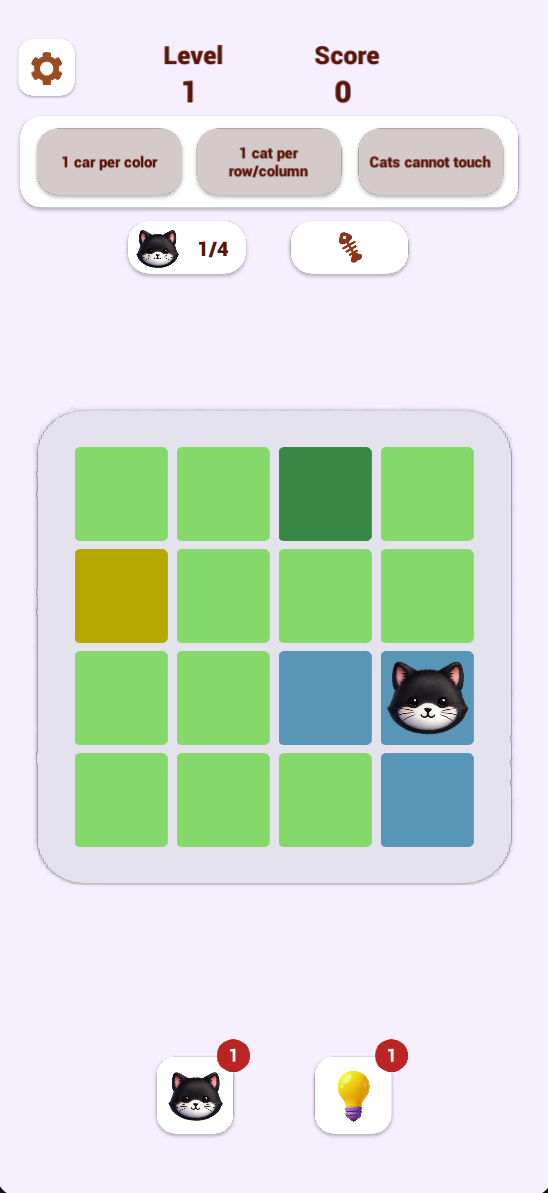
Place one cat in each color region and one in each row and column. Cats cannot touch: check neighboring cells, including diagonals, before placing another cat. The counter above the board tracks placed cats against the required total.
The browser tutorial uses a double tap or double click to place a cat and a single tap or click to mark an empty cell with X. Follow the current in-game prompts if the input behavior changes.
Exclusion Strategy
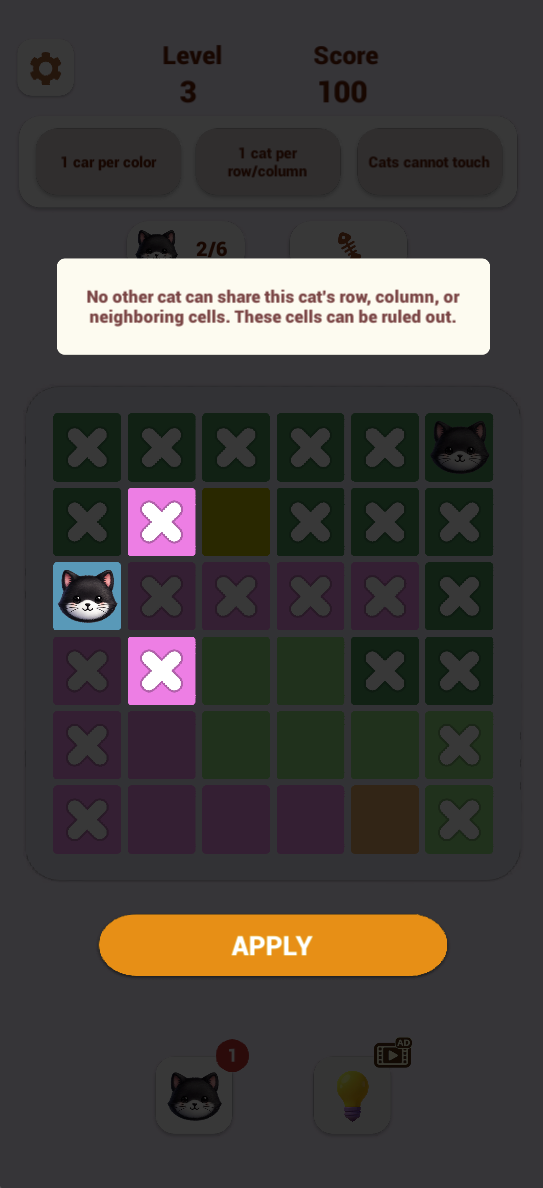
After placing a cat, rule out other cells in its row, column and neighboring positions.
Check the rest of that color region because it can contain only one cat.
Mark excluded cells with X and look for a row, column or color with only one valid candidate remaining.
Before placing the final cat, recheck all three rules rather than relying on an unmarked square alone.
A Worked Example: The Last Cat
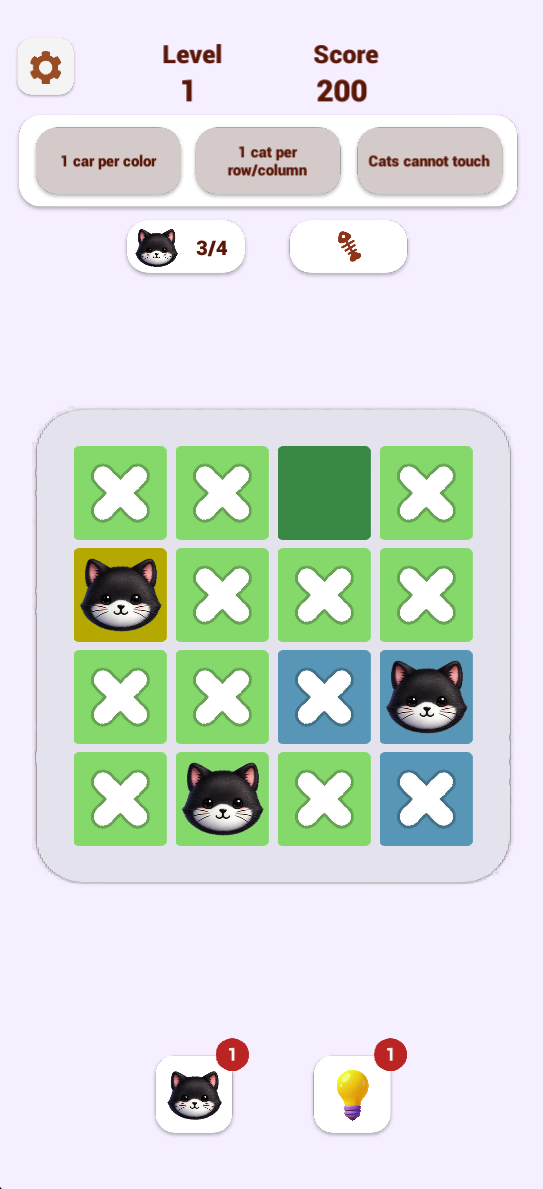
In the second screenshot below, count rows from the top and columns from the left. Cats already occupy row 2 column 1, row 3 column 4 and row 4 column 2. That leaves row 1 and column 3 as the only unused row and column, so their intersection is the next candidate.
Row 1 column 3 is also the dark-green region’s only cell. It does not touch any of the three cats, even diagonally. It therefore meets all three rules: one cat per region, one per row and column, and no touching. Double-click or double-tap that cell as the tutorial instructs to place the fourth cat.
Hints and Progress
Open a hint to preview the cells it rules out and read the explanation before choosing Apply. Use the explanation to make your next deduction. Check the badge beside each bottom tool for availability; if a video icon appears, read its prompt before continuing.
Can cats touch diagonally?
No. The visible Cats cannot touch rule and neighboring-cell hint exclude adjacent positions, including diagonals.
Is Catdoku ordinary number Sudoku?
No. This version places cats in color regions and adds a no-touching rule. It is not a puzzle about filling each cell with a different number.
Screenshots & Strategies
Real browser captures · October 21, 2026
Follow all three rules: one cat per color, one cat per row and column, and cats cannot touch. The counter shows one of four cats placed.With three of four cats placed, X marks track excluded cells. Check each remaining candidate against its color, row, column and neighboring cats.The hint preview explains that a cat rules out its row, column and neighboring cells. Review the highlighted exclusions before selecting Apply.